But it does…
Oh what a pity. I thought I discovered a new feature 
That would be nice. Sometime it is hard to keep the overview on complex parts with lots of operations because of the limited space in the sidebar…
But it does…
Oh what a pity. I thought I discovered a new feature
That would be nice. Sometime it is hard to keep the overview on complex parts with lots of operations because of the limited space in the sidebar…
I just tested in Win7 and works as expected. I can just right-click->properties, type in a number and hit enter to apply the change and close the popup. I’m not sure why it is not working for you.
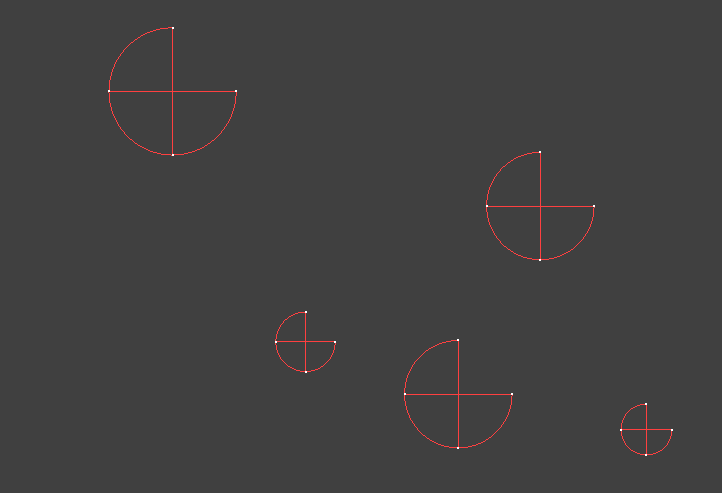
When I create a job from a dxf file all is fine. But when I save and open the job again, circles are not correct any longer. Only reimporting the drawing solves this.
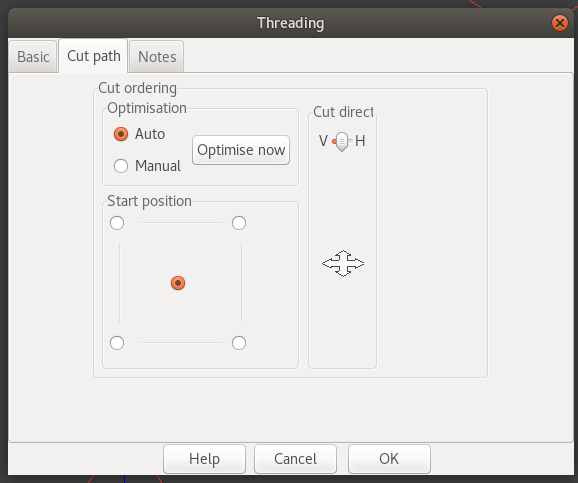
And a litte graphic thing: The area “Cut direction” could be a little bit stretched.
the same on drill operations.
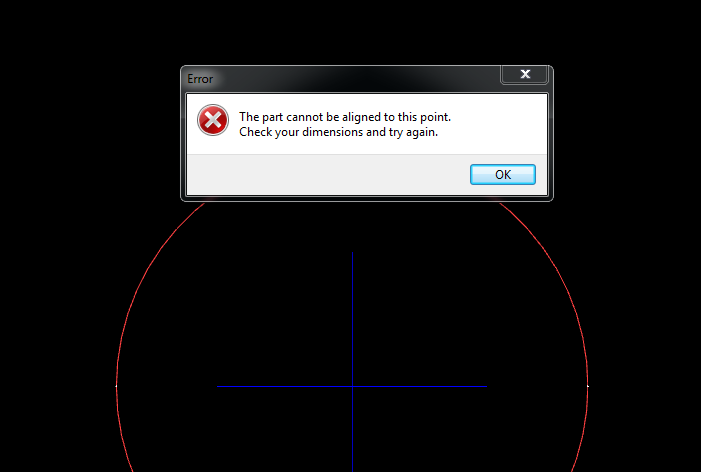
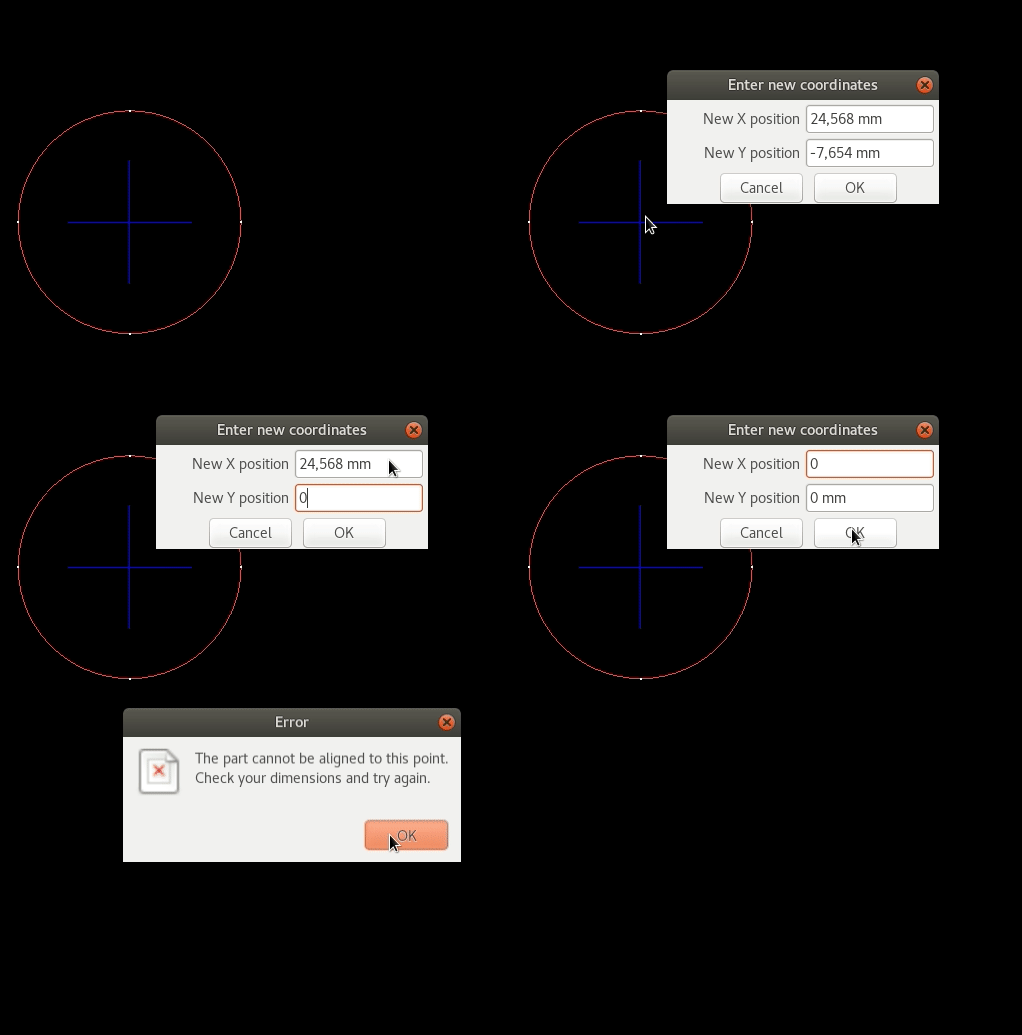
If selecting in reverse order on align dialog, following appears. And after this error dialog the drawing is aligned to the lower left corner. It would be better if the alignment would not be changed.
If selecting from top to bottom it works as expected.
Does this also happen with the Windows version?
And a litte graphic thing: The area “Cut direction” could be a little bit stretched.
the same on drill operations.
There are quite a few sizing issues in the Linux version. Hopefully the next release will fix them.
If selecting in reverse order on align dialog, following appears. And after this error dialog the drawing is aligned to the lower left corner. It would be better if the alignment would not be changed.
If selecting from top to bottom it works as expected.
I can’t replicate that here. Does it happen on the Windows version?
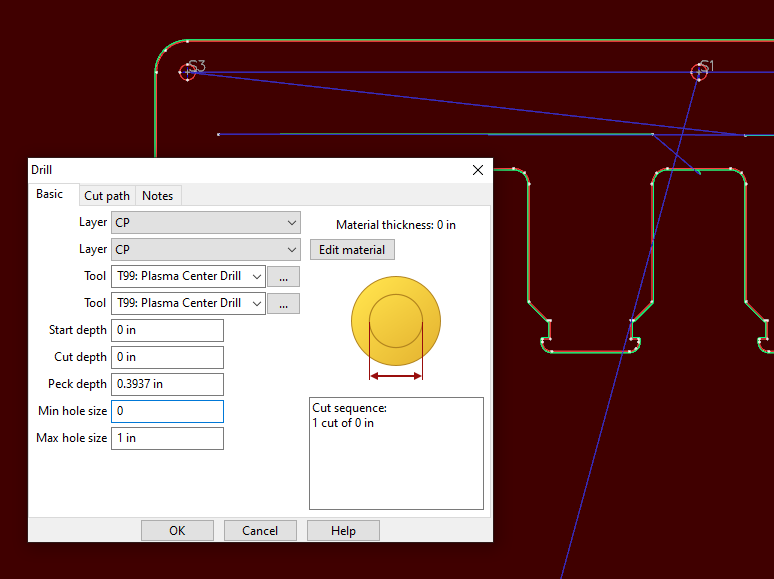
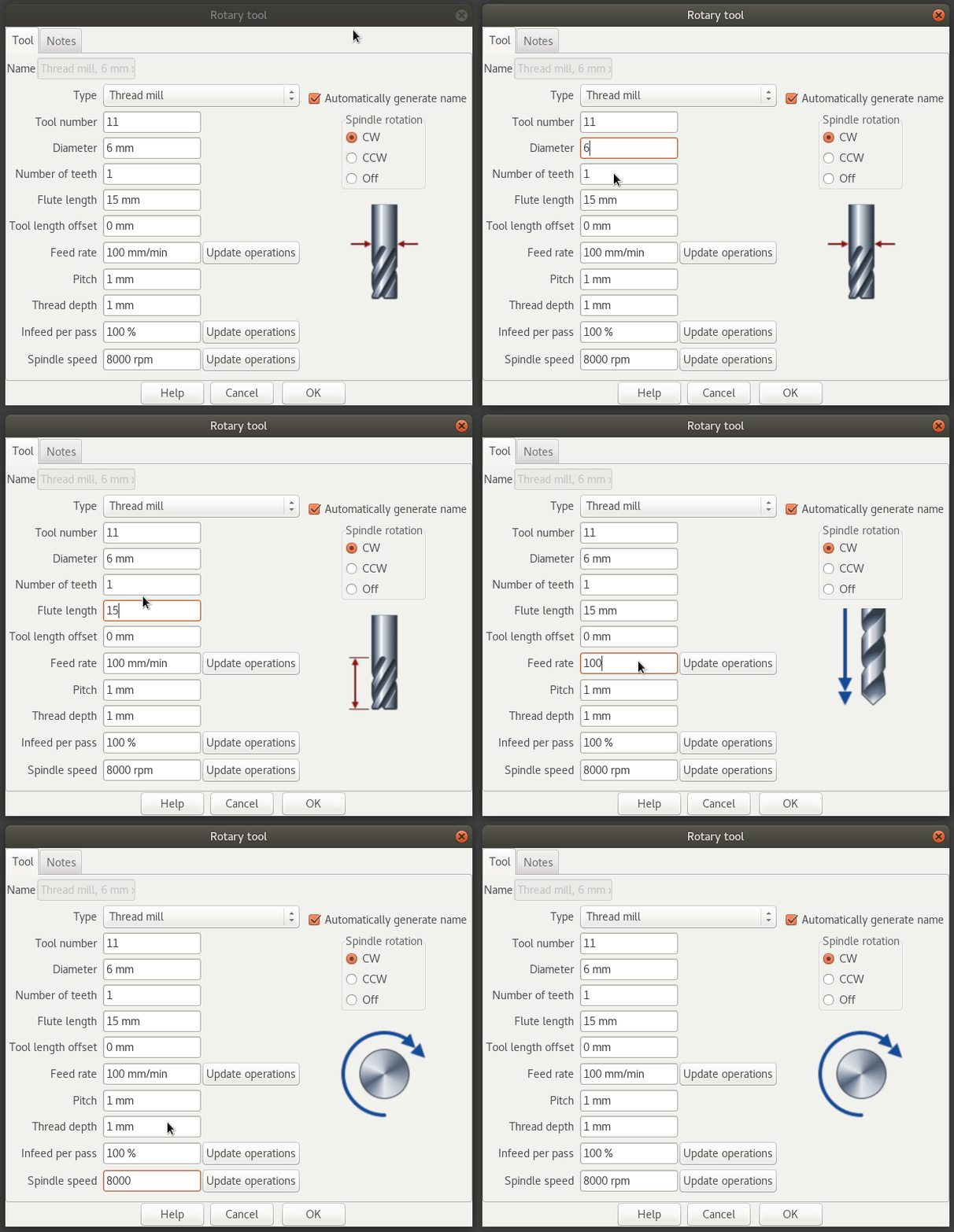
In the Linux version the descriptive pictures are not cleared when there is no picture available, so it shows the last picture what is obviously wrong:
Yes. Usually while aligning for a second time (a different contour):
Ah. It isn’t that obvious but align is a two step process. Select the first corner of a part and enter it’s coordinates. This will move that corner to the new coordinates. Now select another corner on the part and enter coordinates to rotate the part. This is only really useful if you are using points measured from an actual part on the machine. Align will fail if it is impossible to position the part so the two corners meet the entered coordinates.
If you want to use align just to move a part without rotating, right click and abort the alignment after entering the first coordinates.
I’ve recently made some changes in that area which should hopefully fix this problem.
But when a select ‘abort alignment’ the alignment of the first selected alignment is beeing resetted :-/

Here are three things I have experienced recently that have been bugging me (full disclosure these may just be operator error?) I am using sheetcam to post code for a small CNC plasma table.
\
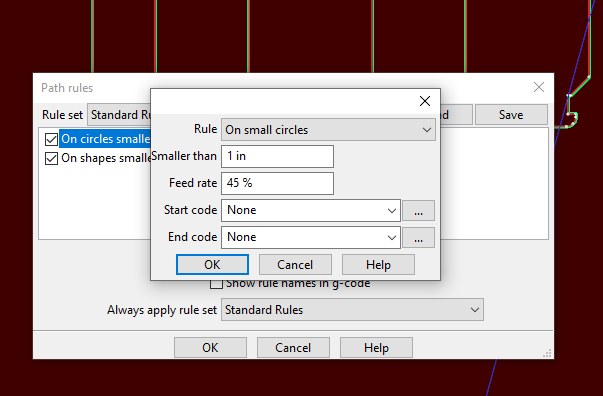
This ability will be in the next release. You can edit the name in the operation table or by clicking on the selected operation on the operations window (the same way changing part names works). Tools names can also be edited in the tools window in the same way.
I just tested with a job containing about 1700 start points and it was pretty quick. Could you send me a job file that demonstrates the issue.
Maybe I’m not seeing it but what’s the best way of cutting a part from a drop on the inside of another part?
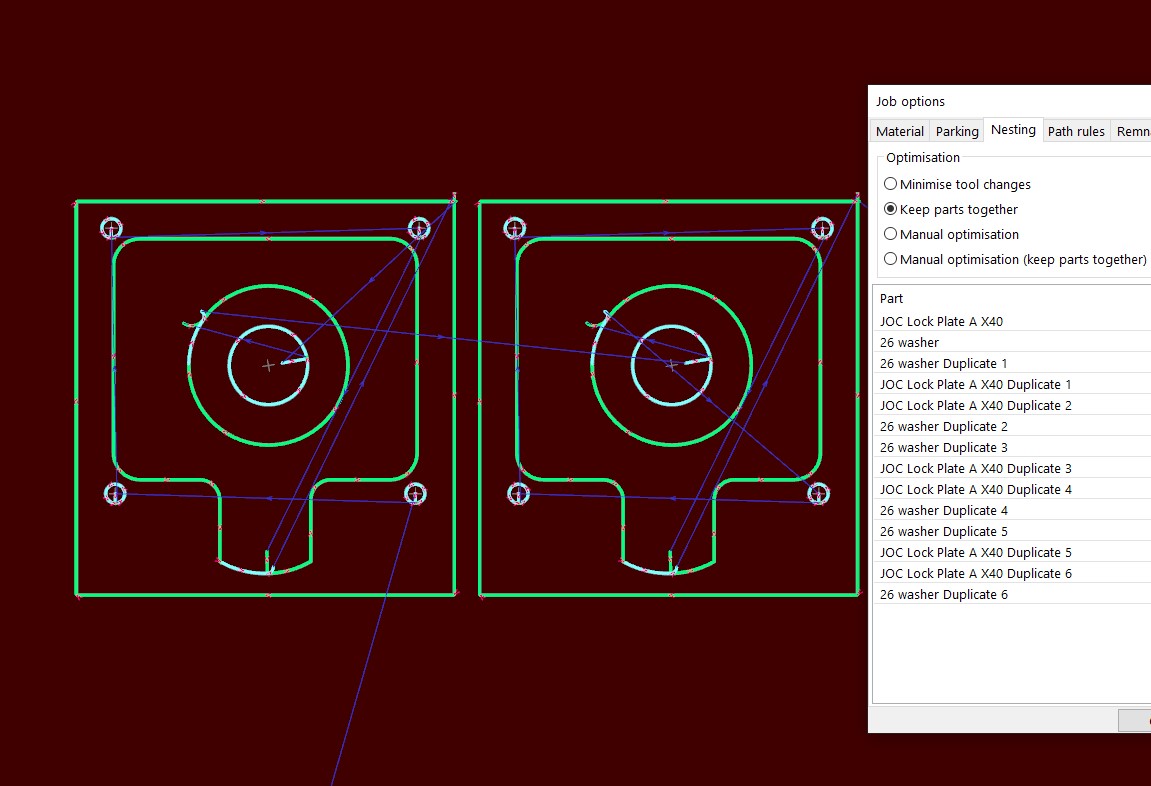
There doesn’t seem to be a easy way of picking the cutting order, nesting in job option does’t cover this, using set part order from nesting/right click sort of works but very confusing with many duplicates.
I know I can cut all the inner parts first and then run a separate file for the rest, but just feel there could be a better way?
If you switch to ‘manual optimisation (keep parts together)’ you can drag parts up and down the list. You can even multi-select parts and drag whole groups up and down the list.
Ah hadn’t played with that to be honest, I’ll give it a try, thanks
Icons wrong arranged for loading tool set?
Open toolset has a folder symbol that is correct:

but load default toolset has a floppy icon
and save default tool set has a folder icon

I think the last two are mixed up.
Something in the tooltable when editing the tools in the Linux version.
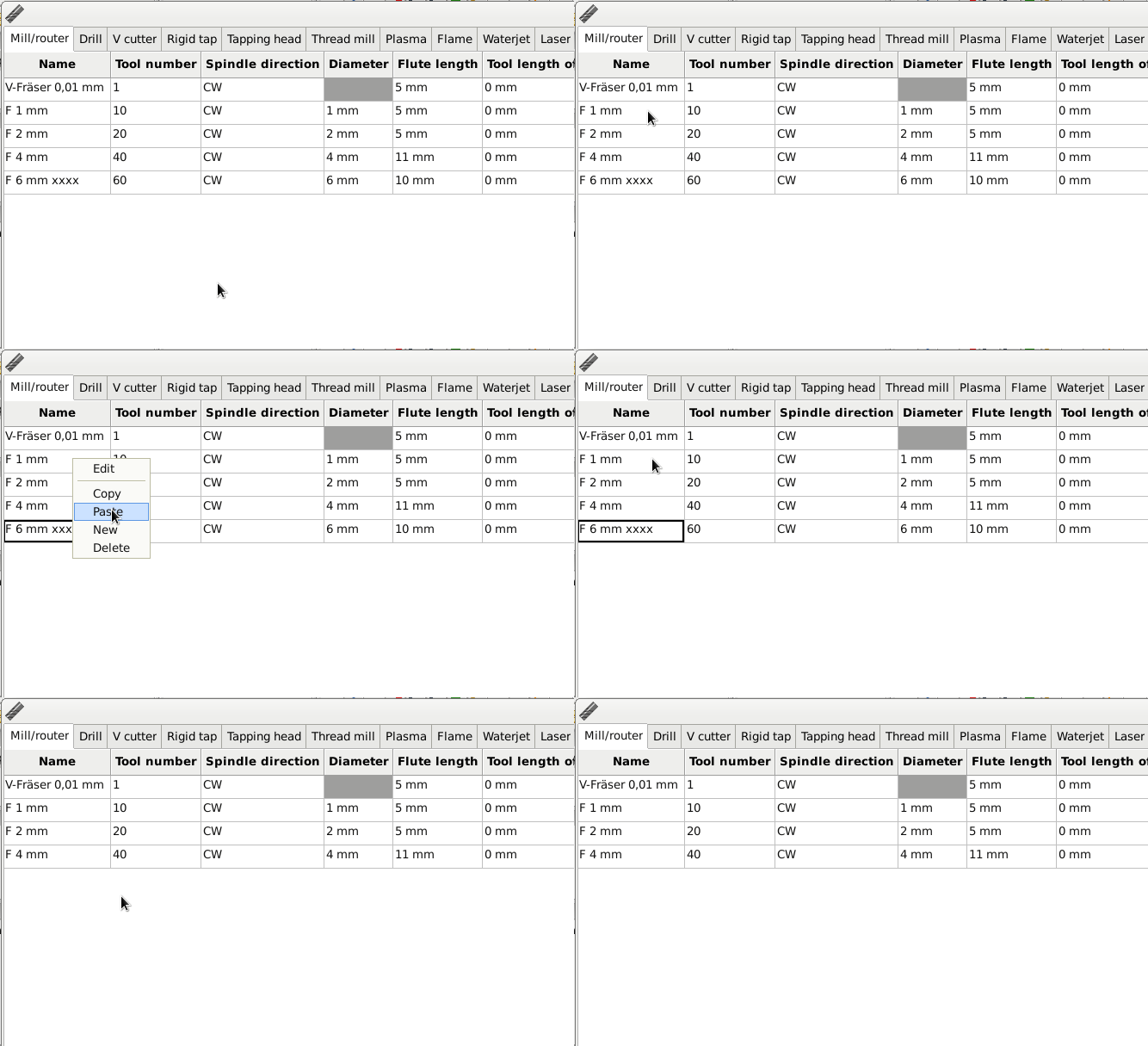
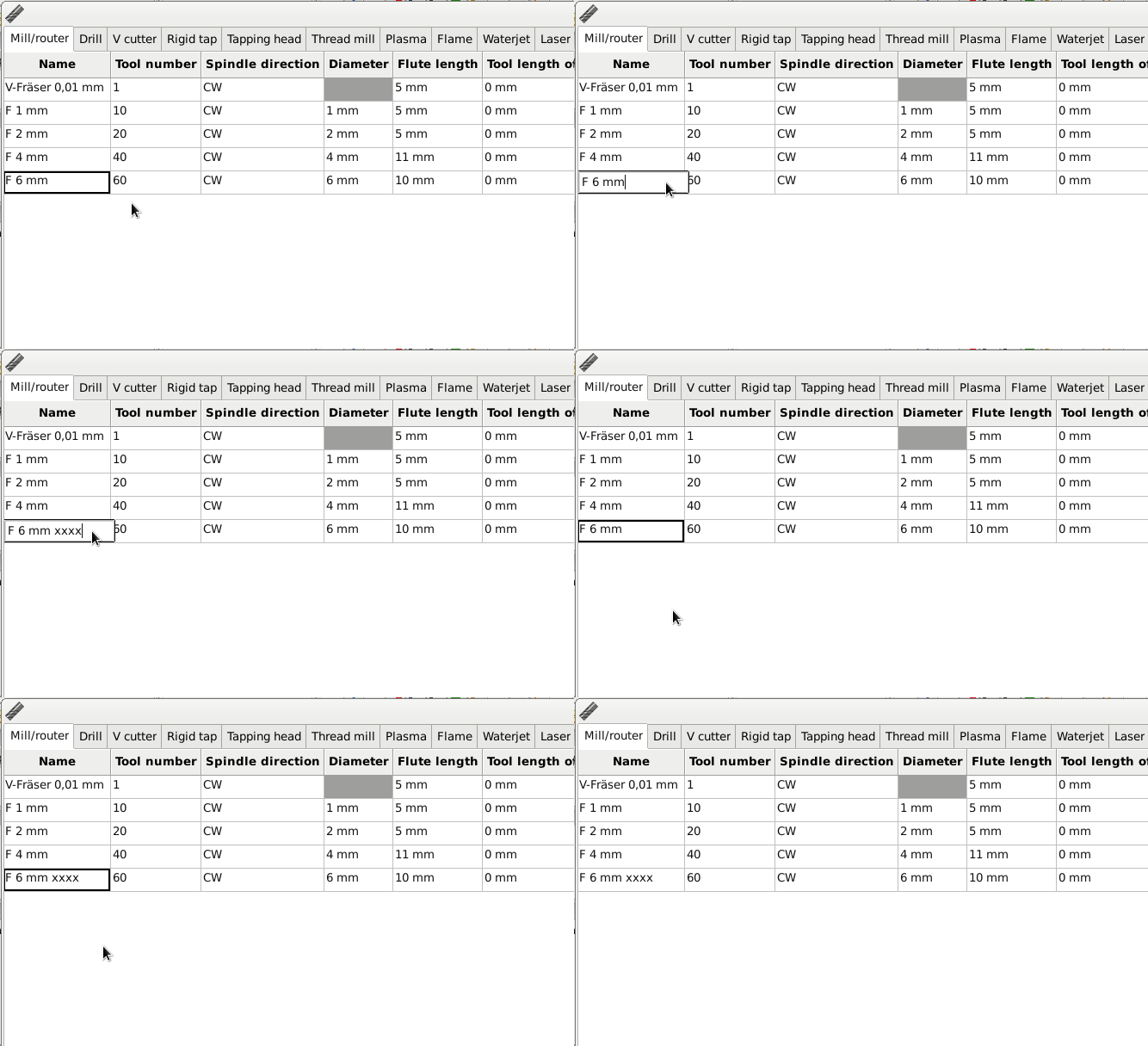
Good catch! They have been like that for years and no-one noticed. I’ll fix it for the next release.
- The name is refreshed only on second selecting:
That is fixed in the current Windows version. It should carry across to the next Linux release.
- On right click the entry is not selected:
I’ll fix that for the next release.
Thanks for the bug reports.
I still can’t create support file like I reported in https://forum.sheetcam.com/viewtopic.php?f=2&t=8355&start=15#p27704. I have tried to reinstall both wine and sheetcam. This appeared when installing the beta but not sure it’s related to Sheetcam. I have tried on a fresh install of Wine Stable 4, 5 and 6 with the same result. Do you have any clue whats going on? Here’s the Sheetcam log from one of the attempts:
22:11:34: Assert failure in function wxCrashContext::wxCrashContext (C:\wx-3.0\wxWidgets\src\msw\crashrpt.cpp:295). no exception info available (“wxGlobalSEInformation”)
22:11:34: Assert failure in function wxStackWalker::WalkFromException (C:\wx-3.0\wxWidgets\src\msw\stackwalk.cpp:311). wxStackWalker::WalkFromException() can only be called from wxApp::OnFatalException() (“wxGlobalSEInformation”)
22:11:34: Error: can’t open file ‘\var\folders\fv\k2kfq49n4_3_g80wjd01n4r80000gn\T\SheetCam TNG Development_dbgrpt-32-20210223T221134\SheetCam TNG Development.xml’ (error 3: Path not found.)
22:11:34: Error: Failed to copy the file ‘C:\users\bj\Application Data\SheetCam TNG Development\SheetCam TNG Development.ini’ to ‘\var\folders\fv\k2kfq49n4_3_g80wjd01n4r80000gn\T\SheetCam TNG Development_dbgrpt-32-20210223T221134\SheetCam TNG Development.ini’ (error 3: Path not found.)
22:11:34: Error: Failed to copy the file ‘C:\users\bj\Application Data\SheetCam TNG Development\posts\MASSO Plasma (with THC).scpost’ to ‘\var\folders\fv\k2kfq49n4_3_g80wjd01n4r80000gn\T\SheetCam TNG Development_dbgrpt-32-20210223T221134\MASSO Plasma (with THC).scpost’ (error 3: Path not found.)
22:11:34: Error: Failed to copy the file ‘C:\users\bj\Application Data\SheetCam TNG Development\Backups\5eac.tmp’ to ‘\var\folders\fv\k2kfq49n4_3_g80wjd01n4r80000gn\T\SheetCam TNG Development_dbgrpt-32-20210223T221134\5eac.tmp’ (error 3: Path not found.)
22:11:34: Error: can’t open file ‘\var\folders\fv\k2kfq49n4_3_g80wjd01n4r80000gn\T\SheetCam TNG Development_dbgrpt-32-20210223T221134\log.txt’ (error 3: Path not found.)
It looks like a Wine configuration problem. SheetCam is asking for the path to a temporary directory and is receiving an invalid path back.
What version of Linux are you using?