when i go to jet cutting tool to try to do lead ins or lead out My jet tool box does not have basic, only tool and notes. did I do something wrong to have made it change.
This seems to be a case of mistaken terminology perhaps…
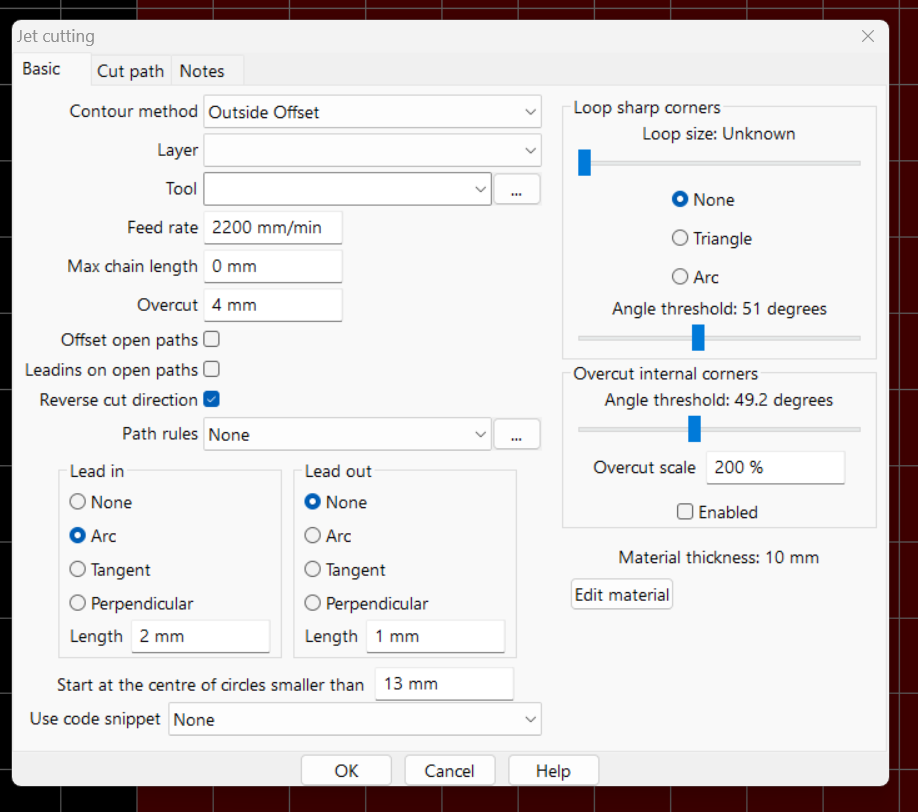
The Jet Operation window (menu Operation / ‘Plasma cut’) has the ‘Basic’ tab, along with ‘Cut path’ and ‘Notes’.
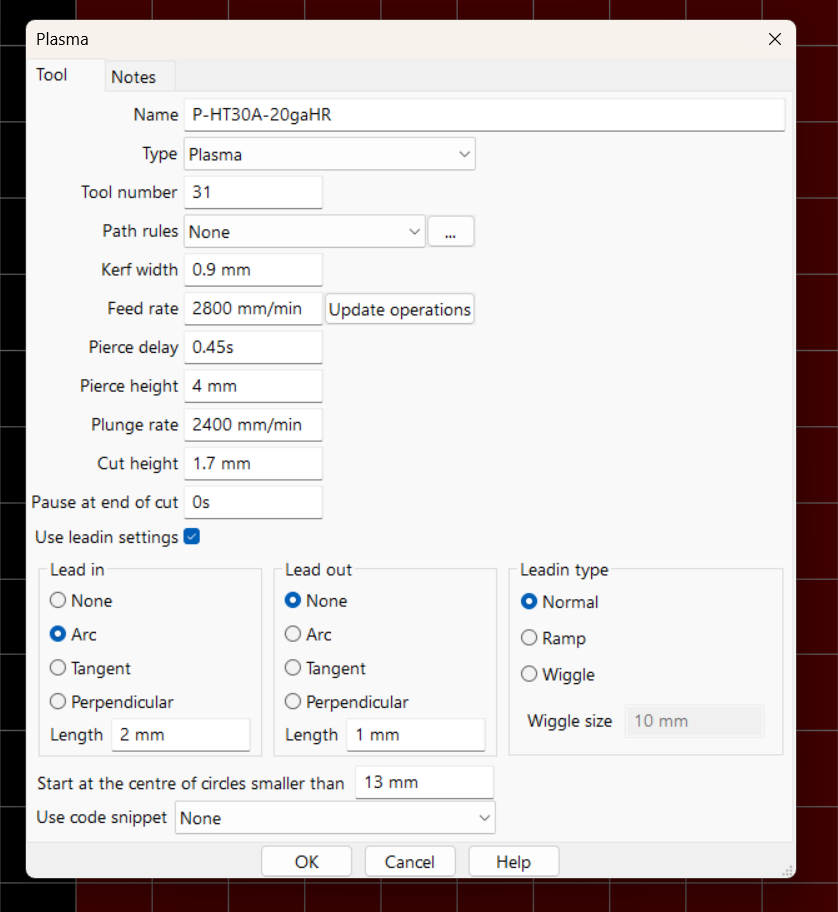
The Jet Tool window (menu Tools / ‘New jet cutting tool’) only has ‘Tool’ and ‘Notes’ tab as you are seeing.
So how do I set a lead in and lead out? I am currently getting an error that says “unable to parse expression: 10 IPM” Unexpected token IPM found at position 3
I tried to recreate this error using v7.1.40 on Windows11, but could not.
I tried entering “10ipm” in the menu Tools / ‘New jet cutting tool’, ‘Lead in’ Length field and ‘Lead out’ Length field, but no error; rather sheetcam used the value 10 and simply ignored “ipm”. I did the same with menu Operation / ‘Plasma cut’ window, no error, same result.
My sheetcam drawing units are ‘mm’.
You’ll have to be very specific as to where (which window, which feature, what version, what are your drawing units, etc) in sheetcam you are getting this error and describe the conditions or workflow that you go through which leads up to this error (new job, open existing job, new tool, existing tool, etc).