I have watched the program manuals , and i
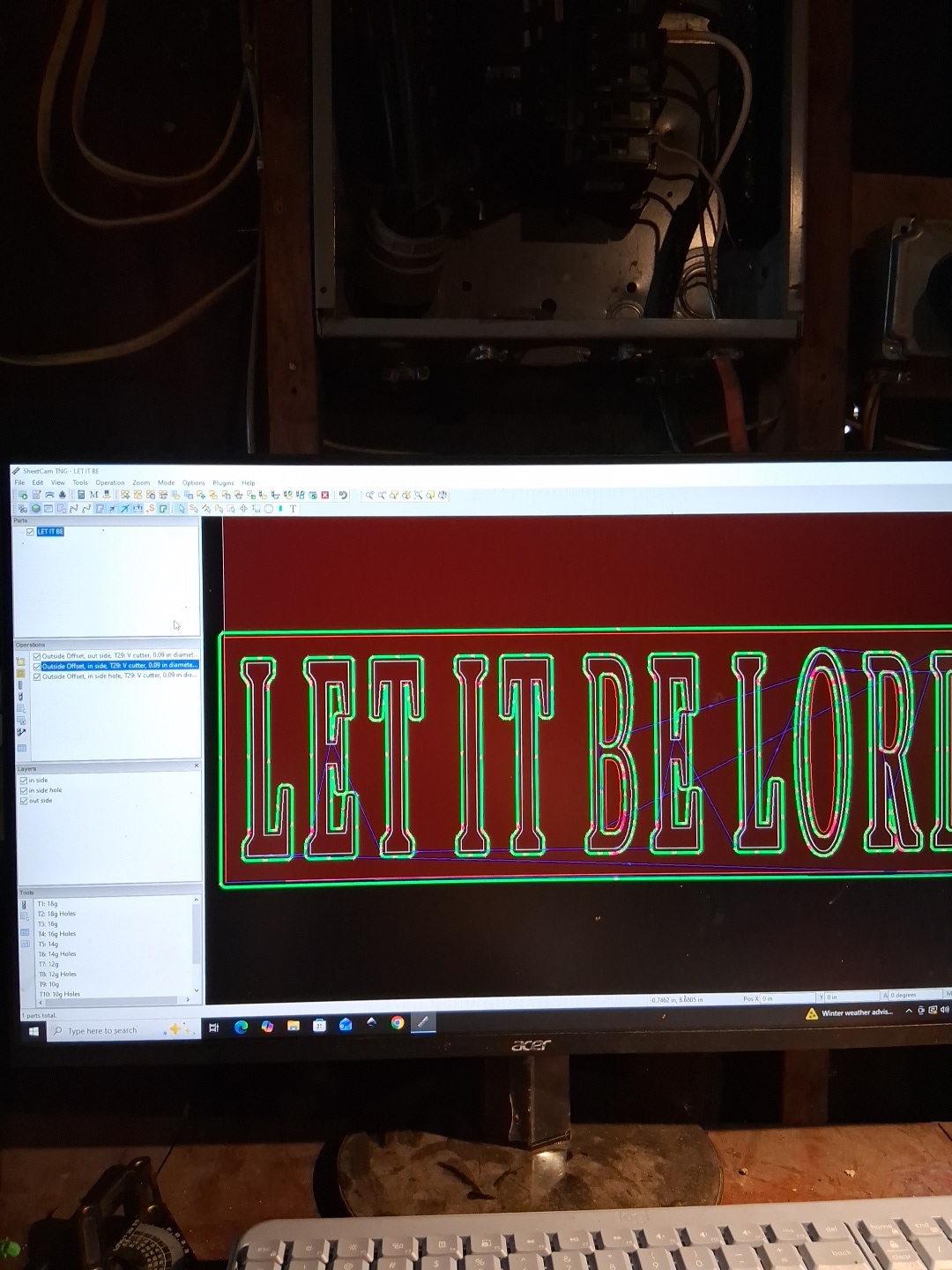
still needing some assistance i can’t seem to get my rap angles for texting.Is there someone can do team view my email is jdauthentics@gmail.com
I have watched the program manuals , and i
still needing some assistance i can’t seem to get my rap angles for texting.Is there someone can do team view my email is jdauthentics@gmail.com
First of all, for best vbit milling, purchase the ‘V carve’ plugin; you don’t seem to have it since I don’t see the v carve icon as a choice in your Operation selection window.
Assuming you want to v carve (with a vbit) just the letters, then you only need one v carve Operation using a vbit tool. Draw or move all your letters to a single, separate Layer which is then used by that Operation. Use Inside Offset contour toolpath. The toolpath will vary the depth of the vbit from 0 to your max defined depth in the Operation, such that the edge of the vpath will ride on the inside of the contour line. The text contours must be closed shapes. If the interior distance between parallel contour lines is greater than the diameter of the vbit at your defined max depth, then islands will be left inside the letters. You can mill the islands with a milling bit in a subsequent Operation (see ‘Create pocket’ option of the vbit Operation).