Hello.
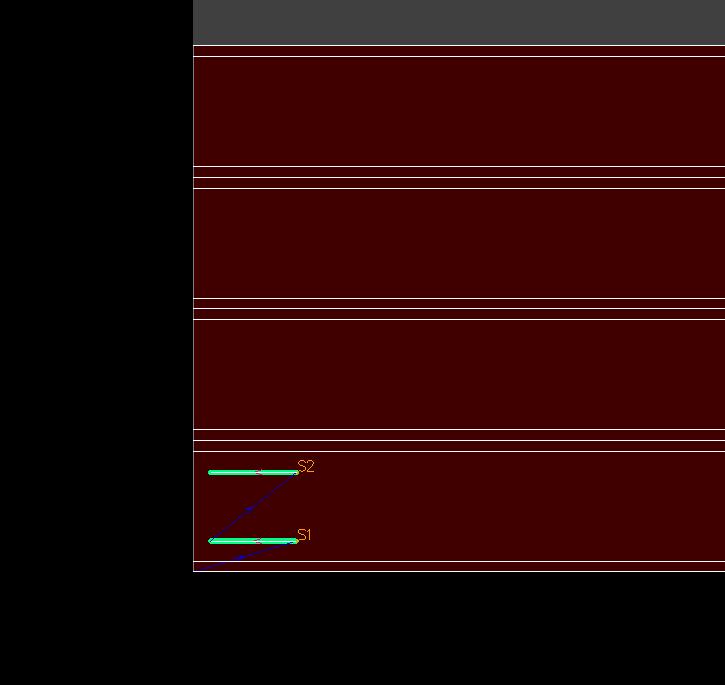
The attached preprocessor (here is the link: 5253MZ | kuick.io ) to SheetCAM adds 4th axis to rotary cutting. However, when I’m preparing a drawing to G-code conversion, like on the picture:
where are two lines to cut, preprocessor doesn’t recognize this place as the top of rectangular tube (where cutting should start), but it orders the 4th axis via G-code to rotate 90 degrees to reach highlighted place.
Please tell me what can I change in the preprocessor to start cutting in the first side from the bottom of the drawing without rotation.
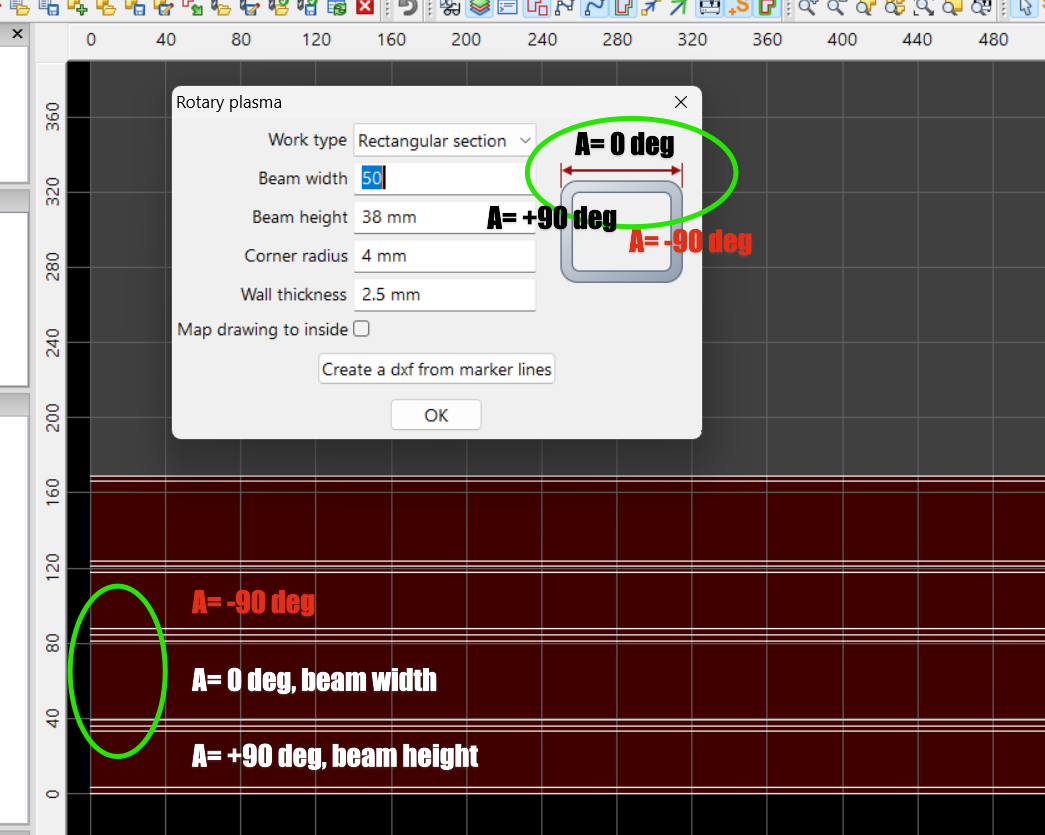
you are making the wrong assumption that A0 deg is the bottom of the drawing, it is not.
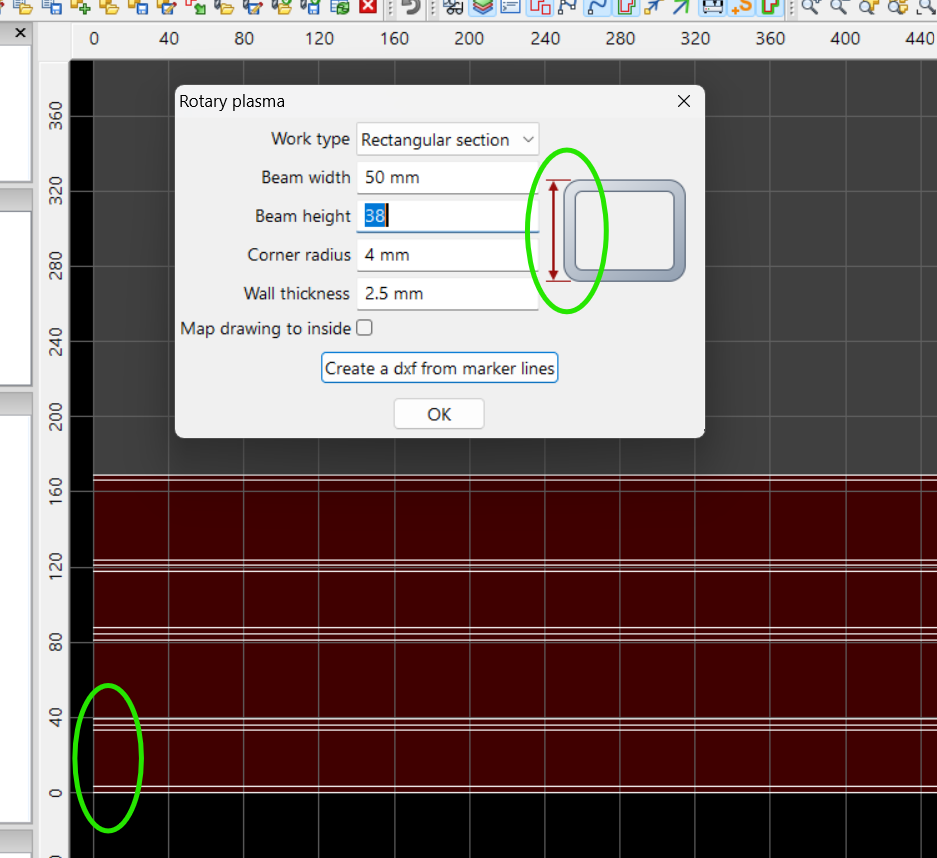
see the photos…
see also the sheetcam rotary tutorial video in this thread…Where to learn Sheetcam
and finally, always simulate your job using the sheetcam rotary simulator menu Mode / ‘Rotary plasma’
1 Like
How do I position the torch when cutting a square profile so that it is always in the same place, i.e. in the centre of the profile?
When cutting a rectangular pipe profile on any rotary axis, the torch is not stationary in the center of the profile. 4 axes, XYZA, are necessary to cut rectangular pipe profile.
See the sheetcam rotary simulator for the cutting motions used.