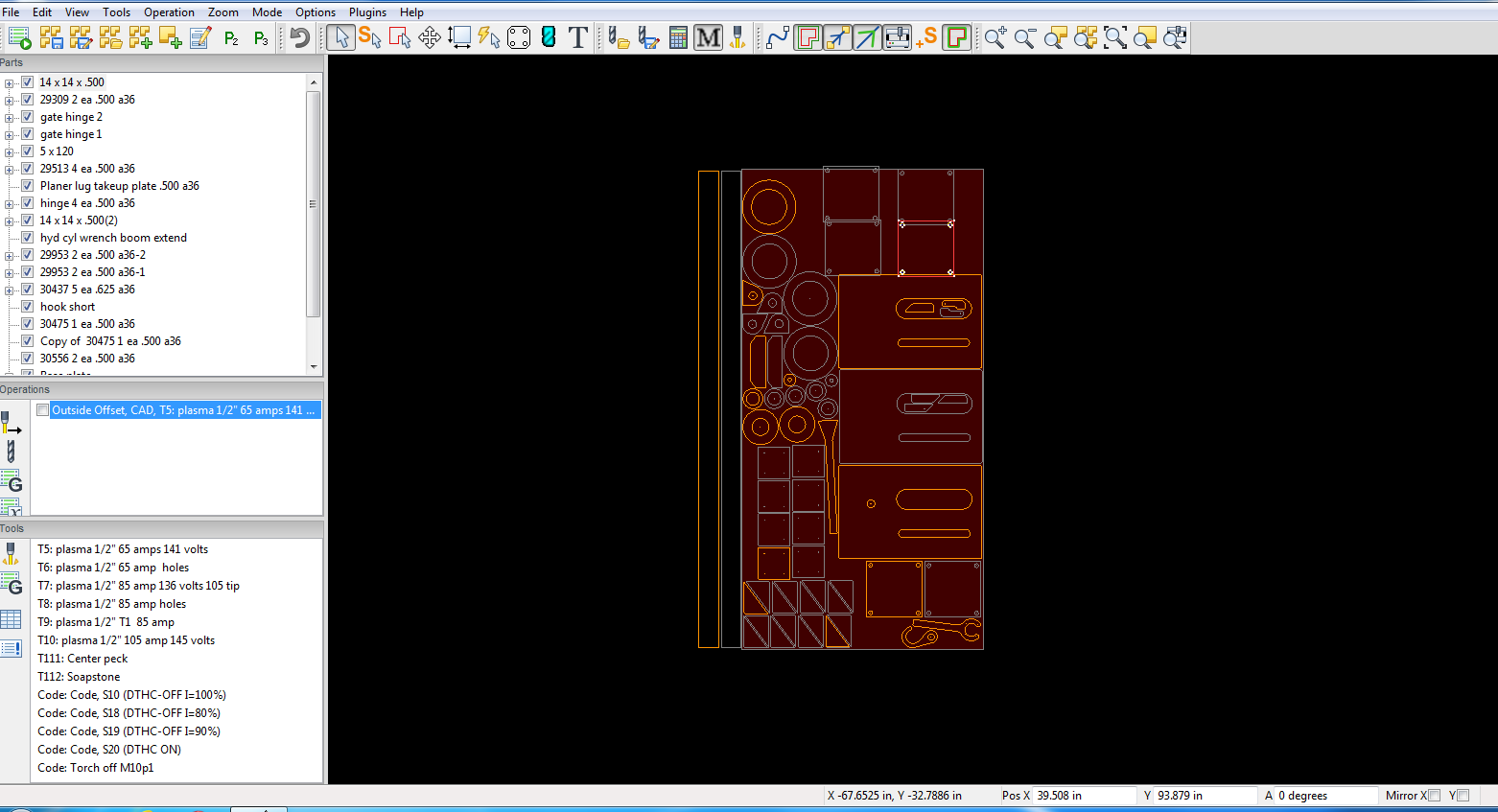
Just downloaded V8 to try the nesting, looks promising! Is there any way to nest a new part into a saved job file?
Thanks, Steve
Just downloaded V8 to try the nesting, looks promising! Is there any way to nest a new part into a saved job file?
Thanks, Steve
certainly. Nesting is conducted at the Part level. Using v8 of course, Open the existing job file, from v7 or v8 origin.
Let’s assume that you have numerous shapes (contours) which are already nested manually into one Part. You have already defined one or more Operations on that Part.
Not quite understanding that but let me try and explain what I want to do a bit better. I save a sheet as a job file with say 5 different parts already cut from it, I then want to cut a couple new parts from that sheet, how can I nest the new parts into that sheet? Or to ask it in a different way, can it nest into the parts that were already cut from that sheet?
Thanks, Steve
I understand your use case better now. The v8 autoNesting feature was not designed for that use case.
I believe to accomplish that result with autoNesting is klugey and ugly, it would involve ‘Combine all parts into one’ representing those already cut, save the combined part as a cut.part file, redefine the material sheet to the remaining size of the actual sheet (with limit of rectangle shape only), remove the cut.part from sheetcam drawing, import your new dxf(s), nest them, bring them back into sheetcam nested, combine them into one part and save the newcut.part, now bring back your original cut.part. Now you have two .parts, manually arrange them to match the remnant sheet. Like I said, klugey and ugly.
On second thought, you could simplify the process by not changing the original job, but rather just measure the rectangular remnant sections of the cut sheet and make a new job with those material dimensions. Now import your dxf(s), nest, combine parts, save the .part, and now go back to the original job and import the newly nested .part. That is a little cleaner.
Either way, it makes for a mess of layers and operations in the end, probably not worth the trouble. Odds are you’ll hit some obscure bug along the way. I would avoid it.
So nesting only works on an empty sheet? It won’t nest parts added to a sheet that contains existing parts?
If that’s the case, then it won’t be very useful for me most of the time. Good to know.
technically that is correct. Better stated, autonesting only works on an empty material size, which can also be a partial 5x10 or 4x8 sheet. You control the size of the ‘sheet’ with Options / ‘Job options’ material size. That rectangular size is the nesting container for the autonesting ‘run’. If you need two rectangles to fill the remnants of the full sheet, then make two runs of autonesting with two different sized material dimensions.
See the photo as an example. I don’t mean to imply that you can draw rectangles on a material dimension and use that as a nesting container, that would be a nice improvement to the new feature, but it’s not there at this time. So what you do now is use those drawn rectangle dimensions as a new job with those material dimensions and nest that area in a new job. What I would do at this point is cut that new job with a repositioned XY zero accordingly.
I encourage everyone to give the autonesting a try, you can do that without purchasing a v8 license, and v8 does co-exist on the same computer with v7, different folder locations completely. Someone may find a better use case / workflow to improve on this.
But to the original question, can a new nesting result be merged into an existing job, I believe that use case is a good suggestion. And perhaps adding a shape selection as the bounding rectangle or polygon to serve as the bounding container is a nice way to add the new use case.
Nesting would be more appealing to me if it were able to nest parts on an existing job with the area available being the area not occupied by existing parts on the sheet. So if I have cut large parts already, and now want to cut some small parts that will fit in the remaining area on the sheet, it would efficiently place those parts in the remaining areas.
Maybe that’s not what nesting is, but that would be the most useful for me rather than being confined to a rectangular area.
I probably won’t purchase v8 because at full price, it isn’t worth it to me. Now, at a discounted current user upgrade price, I might take another look. I have not seen any sort of discount being offered.
As one of several nesting use cases, I agree. The use case is very practical. I think it’s an easy case to make for a near term improvement of sheetcam’s new autonesting feature. Noted.
Noted. I’m not in a position to preempt future announcements, but the point has been well taken in recent days since the v8 release.
This is all good feedback. Thank you all.
tagging @zack-sheetcam
Significant correction/update on the use case of:
Adding autoNested Parts to a job referencing a remnant sheet.
The workflow is actually not as klugey as I previously described. It can be accomplished but workflow process is quite methodical and does require some practice or trial and error.
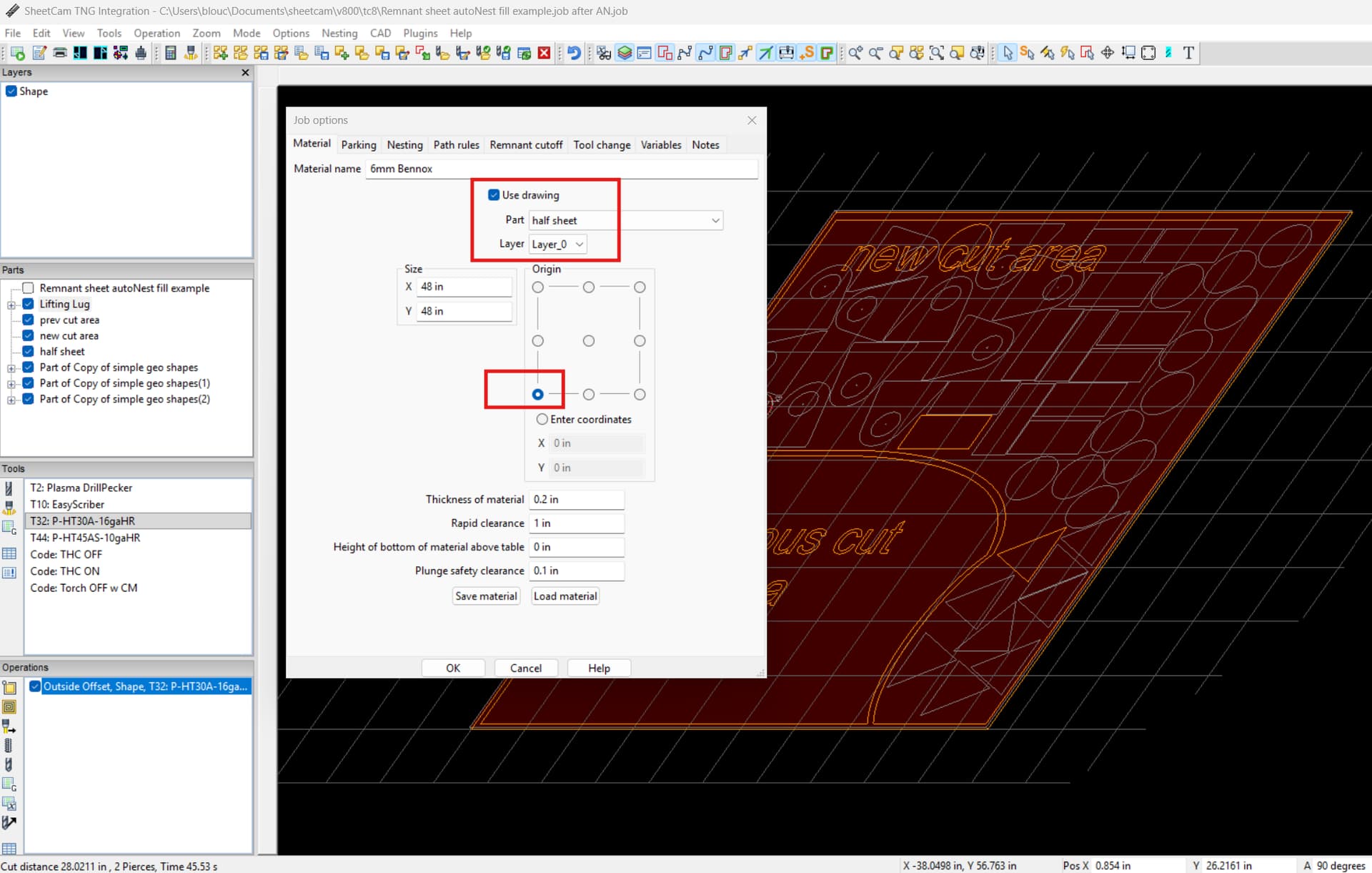
The process leverages a v7 feature in sheetcam Options / ‘Job options’ / ‘Use drawing’. This feature uses the outer most (or only) contour in the selected Part / Layer as the drawing dimensions. As you can see in the screenshot, this contour can be any irregular shape representing the ‘container’ or boundary area for autoNesting. As mentioned earlier, autoNesting uses the job material dimensions, or in this case the material contour, as the nesting container.
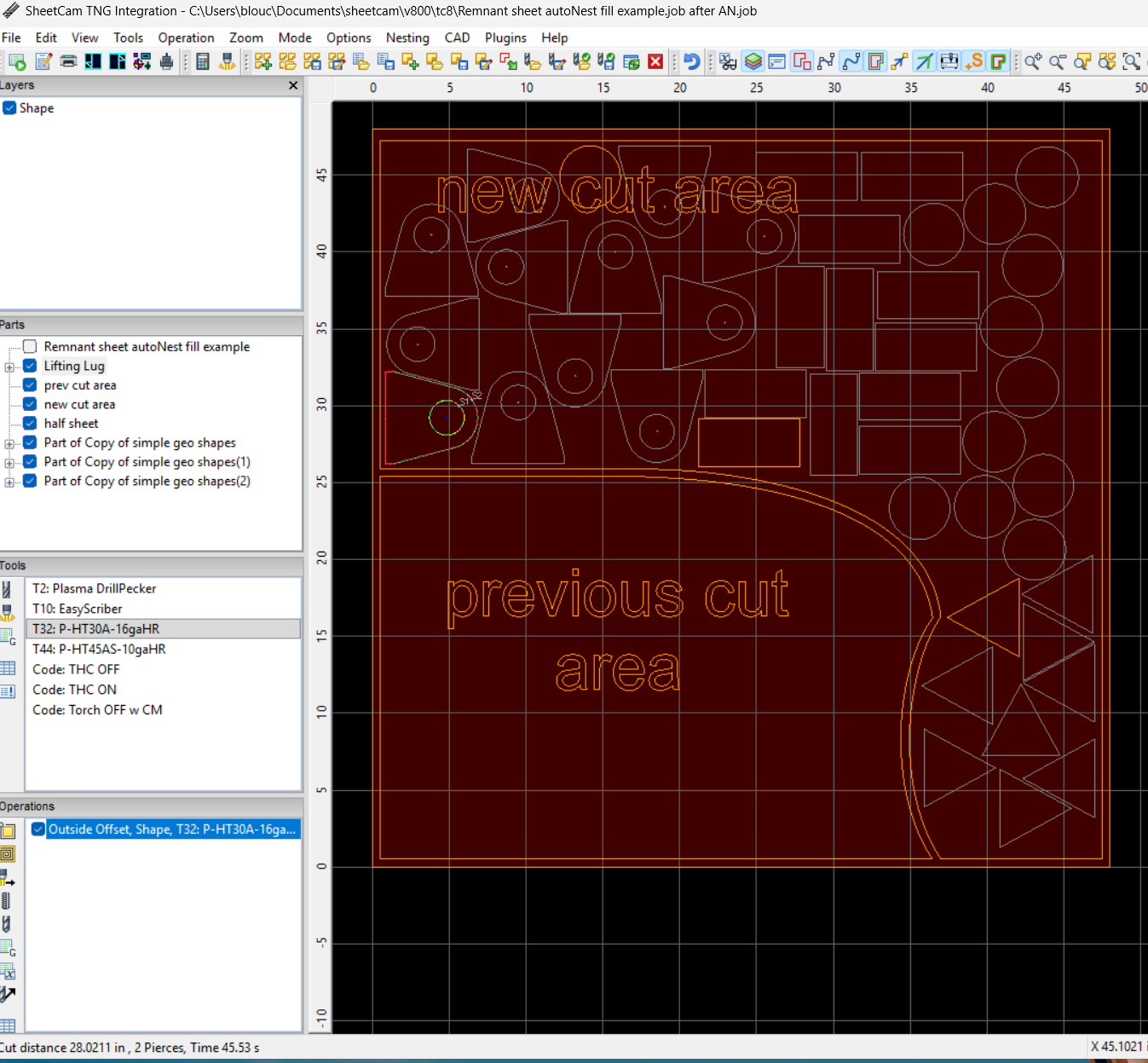
I began the work by using the ‘half sheet’ part/contour for dimensions. Then just before I invoked autoNesting, I changed the Options / ‘Job options’ / ‘Use drawing’ reference to ‘new cut area’ Part and contour. When autoNest finished it’s nesting arrangement in that container, it came back into the job exactly as it was positioned previously. At that time, its ok to change the job dimensions back to the ‘half sheet’ Part so toolpaths are referenced from half sheet X0Y0, if that is what the user prefers.
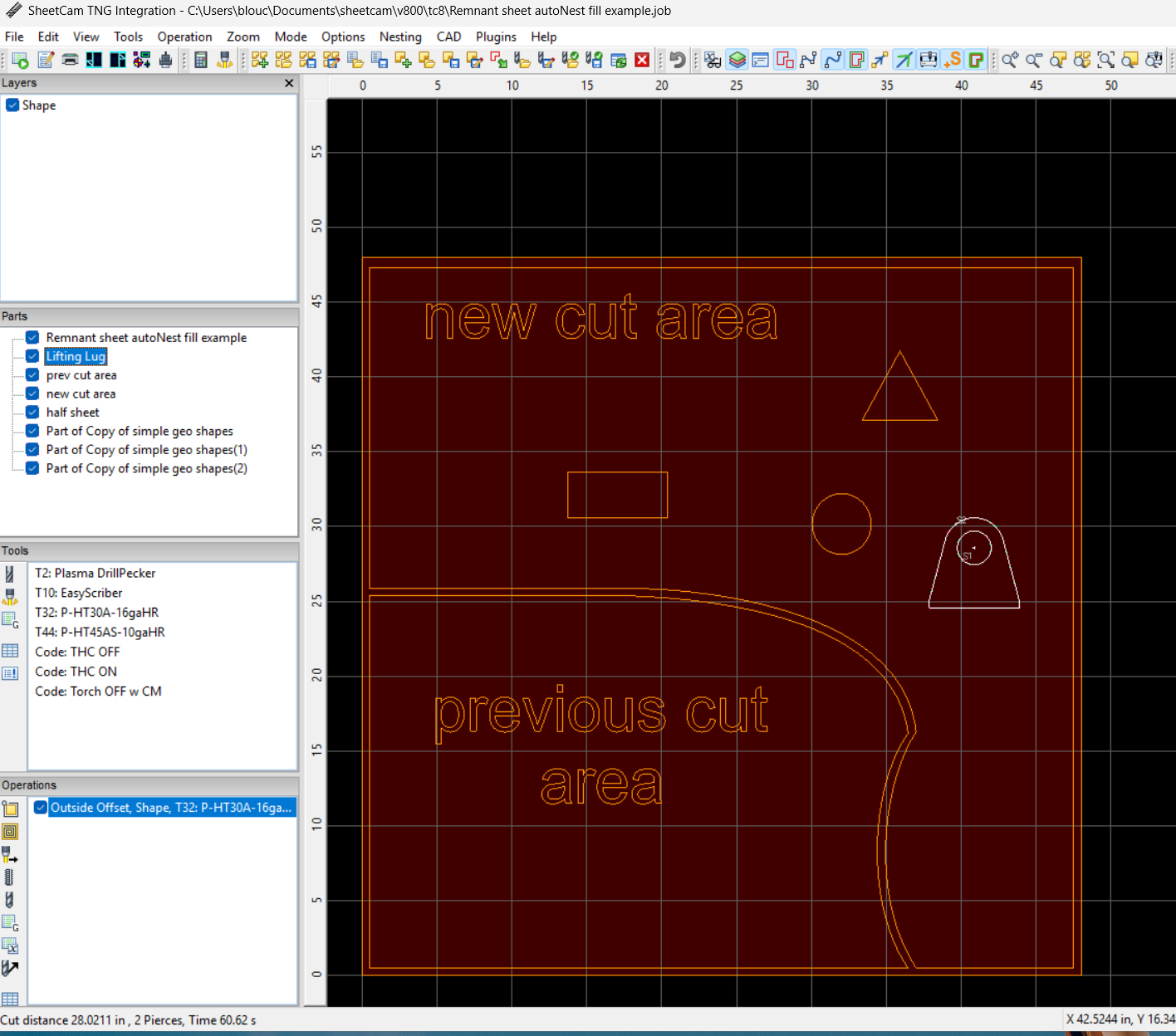
The rest of the workflow process I hope is self explanatory, after a little practice with it of course. I took the liberty to make a contour in my CAD which is the original half sheet and previous cut area.
Remnant sheet autoNest fill example.job (101.9 KB)
Remnant sheet autoNest fill example.job after AN.job (110.0 KB)
Remnant sheet autoNest fill example.dxf.txt (226.7 KB)
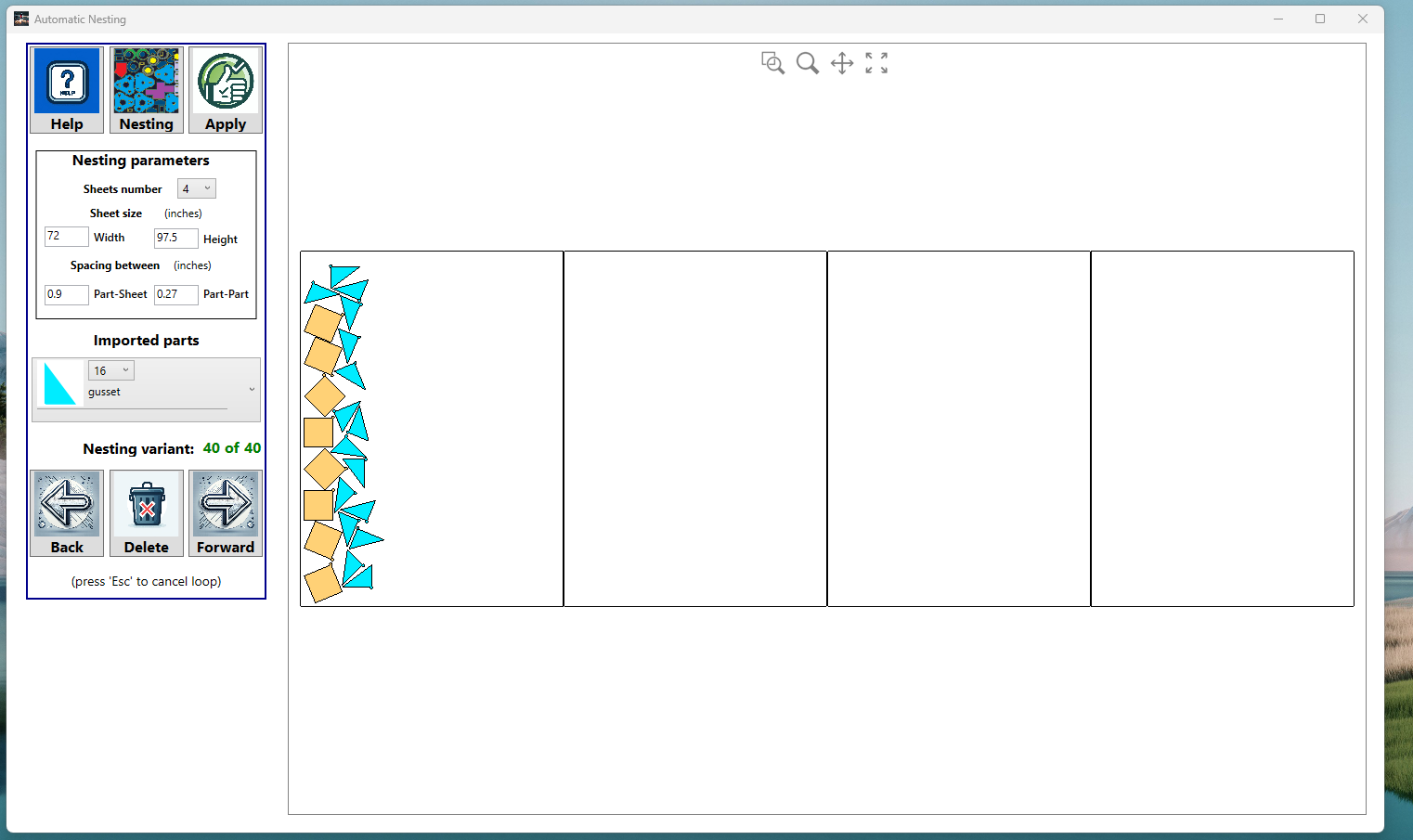
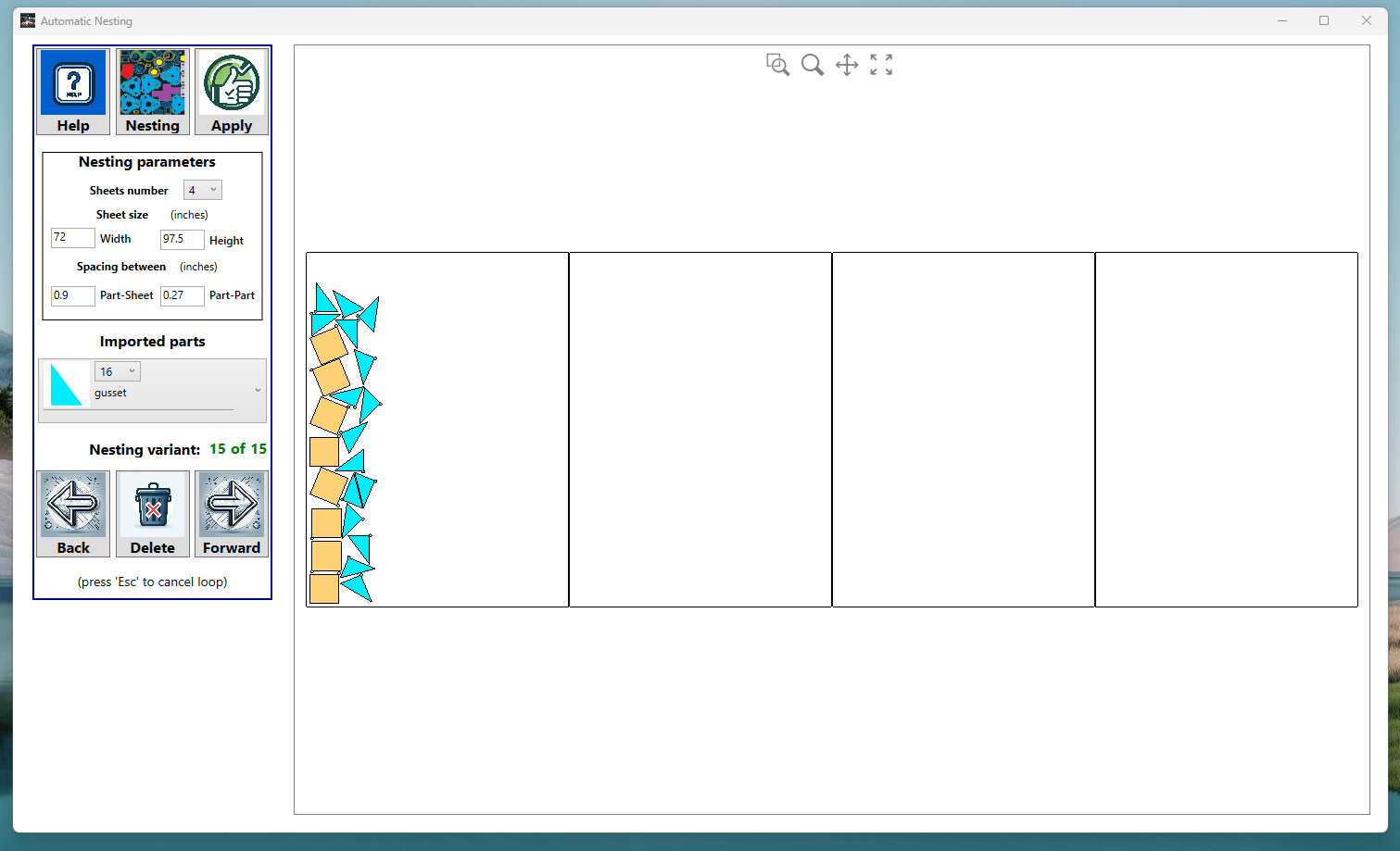
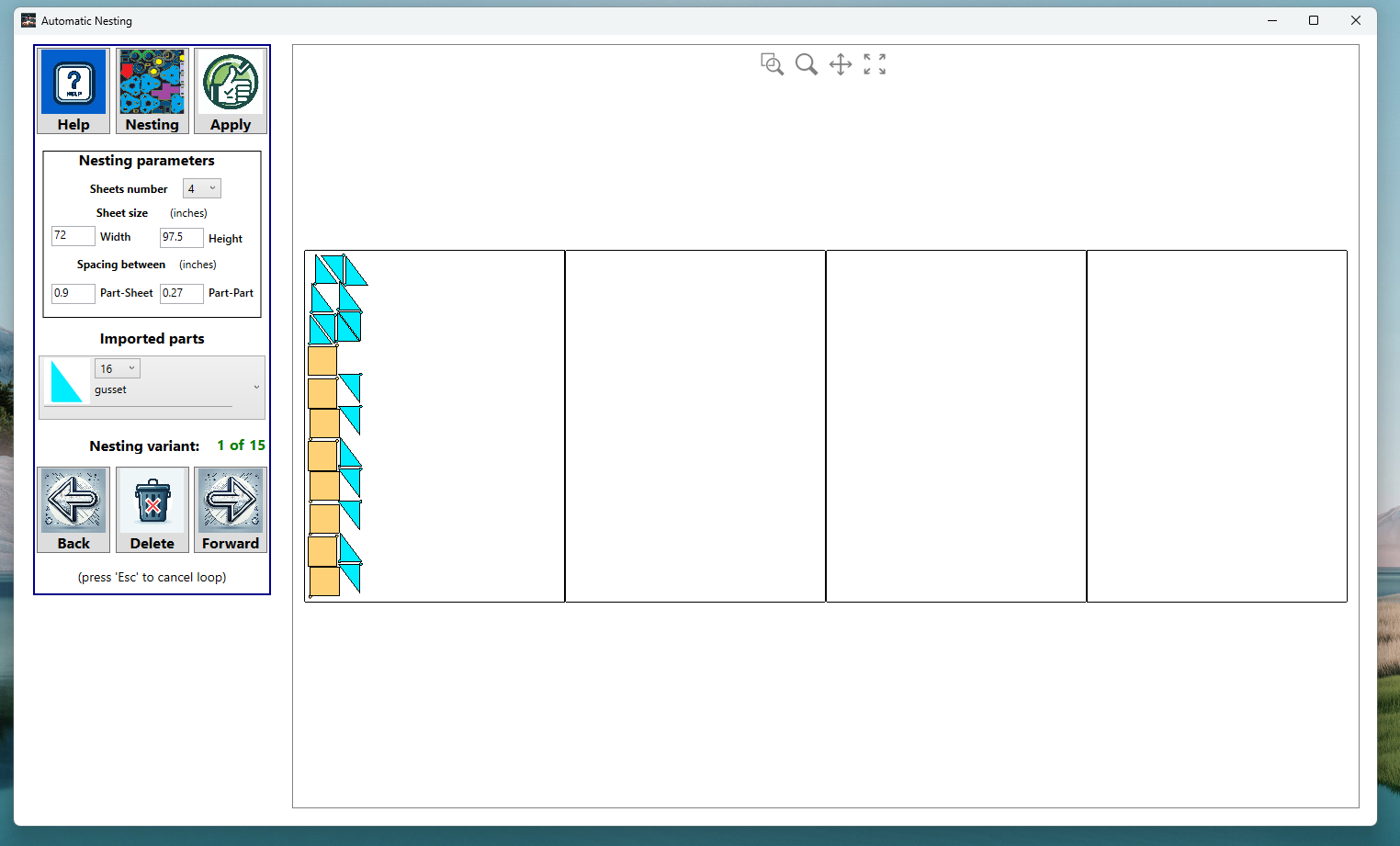
An observation, I tried a nest of 8 squares and 16 6 x 8 gussets, after 50 nests I gave up. It never did nest parts like I thought it should. Is there any way to specify angle and distance tolerance?
Steve
upload your job files please, before and after autonesting, I’ll have a look.
re. specify angle… no.
re. distance tolerance… other than part to part distance, be more specific please.
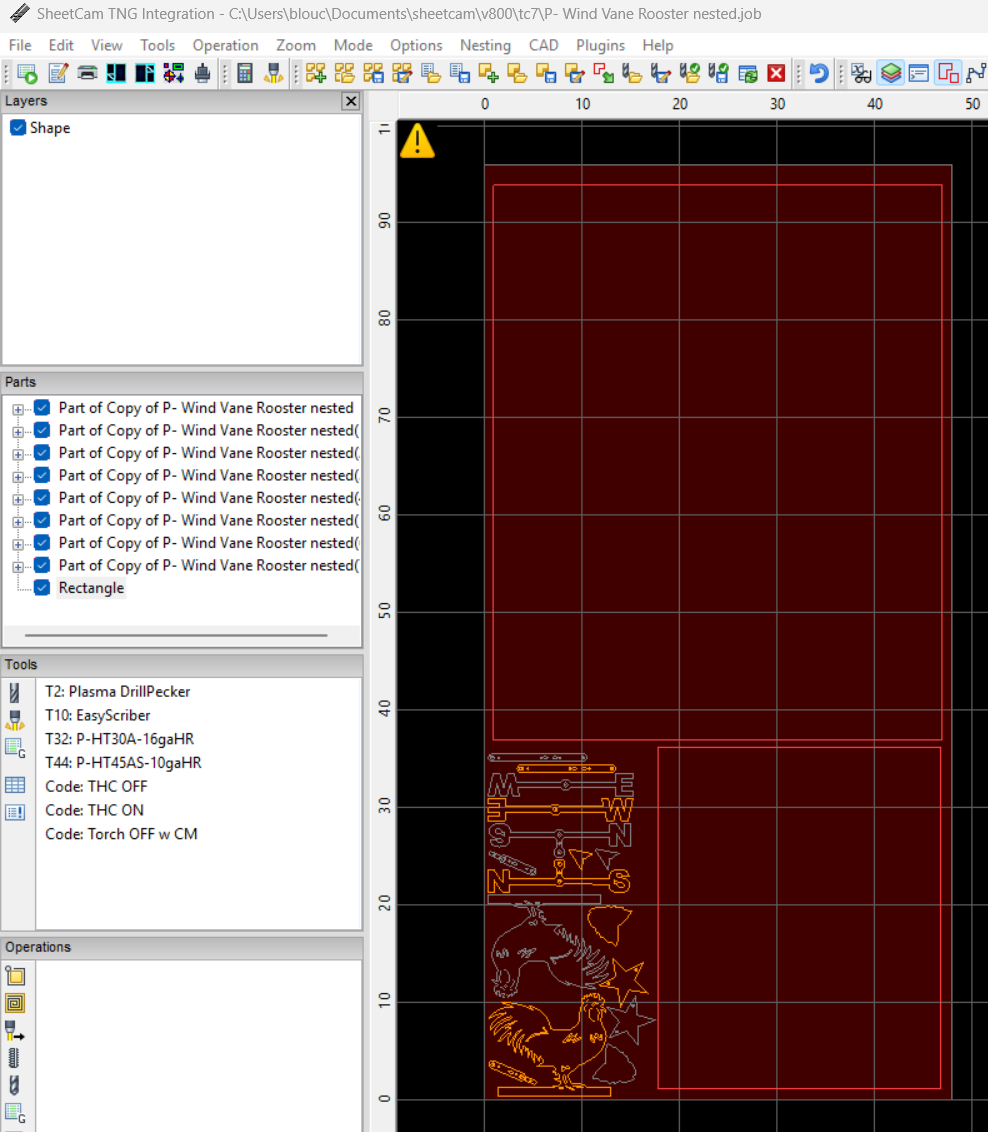
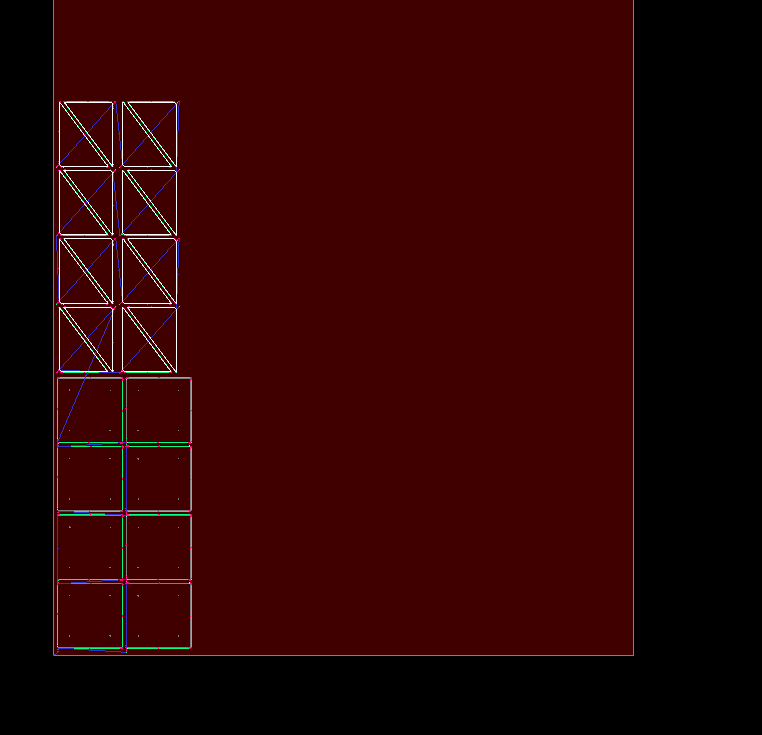
The first picture is the manual nest followed by the auto nesting attempts, it seems like it should be able to duplicate the manual nest or close to it. Thoughts? Edit to add, the auto nested parts do have a short lead-in and the manual in this example don’t. I did run it with no lead-in’s with about the same results.
Thanks, Steve
That looks like a mess. Definitely room for improvement.
So in an ideal world I would like to be able to add parts to this sheet, as you can see there is room to add more of the little parts but I may not add parts for a long time. This job (plate) was started 3/12/2024. This is a typical plate I have in inventory. If I could quickly have sheetcam tell me weather a new part would fit that would be ideal!
Thanks, Steve
That seems like an extreme condition of the use case. Noted.
agreed, ‘close to it’. The autonesting algorithm needs refinement for sure, especially for cases like this with simple geometric parts. On the other hand, for such simple geometric parts, sheetcam’s Mode / Nesting / ‘Array parts’ would be a better choice for the time being.
Has there been or are you expecting any updates to the nesting yet or in the near future?
Thanks, Steve
The sheetcam customer service team does not seem to be monitoring the forum often in recent weeks. I suggest you write to sales@sheetcam.com with a link to your post or direct questions.
I am experiencing the same thing. I was keen on autonesting to help me save time, but instead it costs me material. So I am a bit uncertain to what extent I am going to be using this.