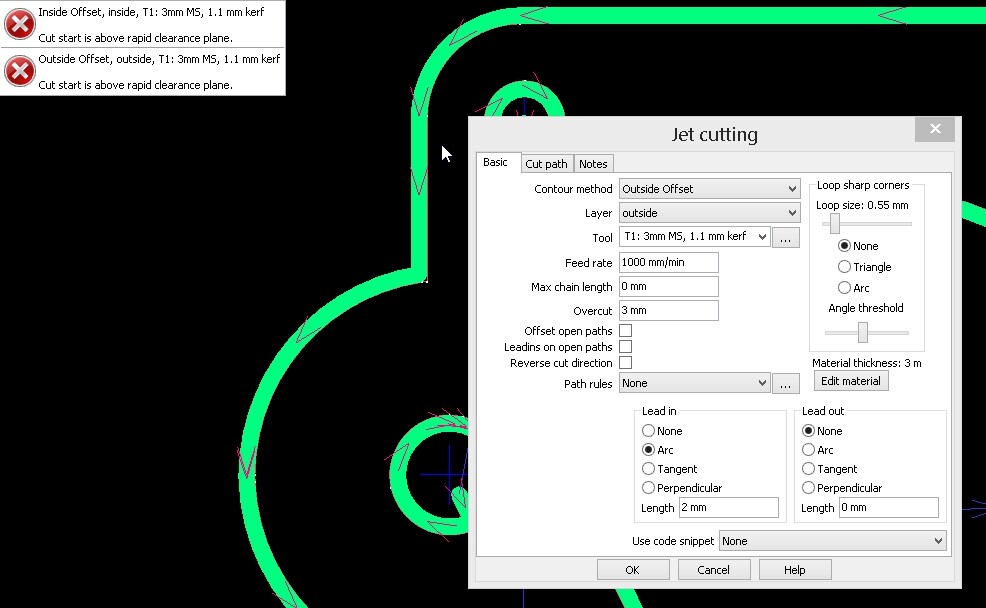
Need a bit of help guys.
I have an error message appear after doing a process and don’t understand how to fix it.
When I hover over the error message it says to double click and fix the problem.
I do that and can’t see where the problem is to fix.
The message shows, “Start cut is above rapid clearance plain”
Check your rapid clearance setting. I think it’s in job options. And your cut height in the tool settings. It looks like your rapid clearance is set lower than your cut height.