Anybody know how to use the auto tabs in sheetcam ? I have seen the screen and all the settings but cant make it work ?? 
Along the top of the screen, you’ll find the “Edit Tab Button”. That will allow you to place and or move your tabs
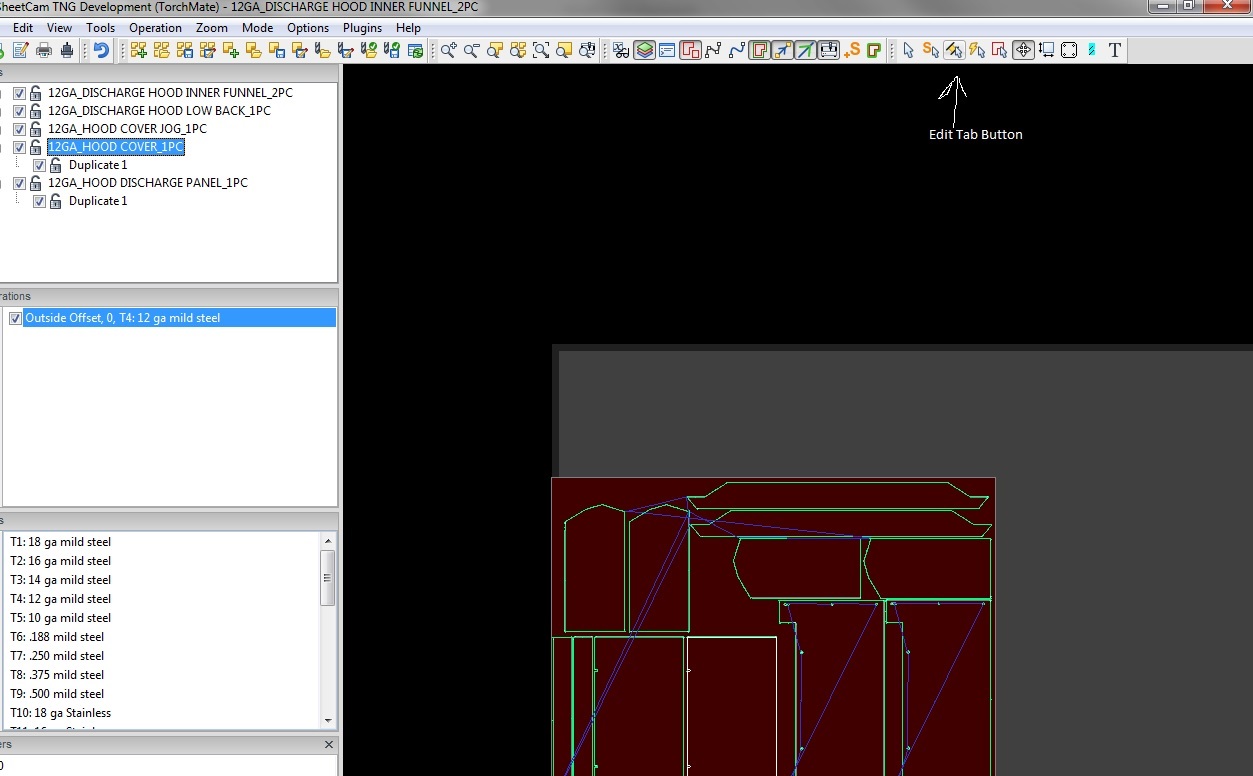
Make sure you have the correct operation selected then switch to tabs mode (see OldHippie’s screen shot). Right-click and select Options.
These are the auto tabbing options:
Minimum number of tabs - on smaller shapes it will not place less than this number of tabs
Max tab spacing - on larger shapes tabs will be no further than this distance apart.
Tabs on inside cuts - if this is enabled tabs will be placed on both inside and outside cuts. If not, tabs will only be placed on outside cuts.
Click the ‘Place tabs’ button to make it place the tabs.